Monday, March 2, 2015

Building an Amazing Race Activity!


A lot of people have been asking me about an activity I have used called "The Amazing Race".  I've used the strategy at two professional learning sessions and an Edcamp, and it has been very successful all three times. Therefore, I'd like to continue spreading the love of what I feel is a worth while activity design for a multitude of uses.


First though - full disclosure - the Amazing Race style of content acquisition/discovery was NOT my idea. I learned about it at the Google Teacher Academy in Mountain View in 2014.  However, after creating my own, I have a better handle on the design that could potentially go into creating one of these.

The idea of the Amazing Race activity is to get participants owning the learning and exploring in a collaborative and competitive environment.  You might think it is similar to a webquest - I find it to be a vast improvement.  In my set up, the challenges are all points on a map. Students are giving a link to the first challenge, and upon finishing, fill out a form to receive the link to their next challenge.  The following goes into more detail on the planning and thought process side of things.

Step One:  Use Google MyMaps.
I don't know what it is about Maps, but something about them is just incredibly engaging. You could technically do an activity like this without it, but I'm not sure it would hold the same appeal.  My Maps gives you a lot of flexibility in putting clues in different places on a map.  This would be very natural for social studies and geography classes to utilize this tool, but I could see any class use this as a way to revamp the way content is acquired.

Step Two:  Start a planning document.
This is a necessity.  If you are going to have students or participants going to multiple places and filling out multiple forms (as I have), then you are going to have to keep yourself organized. I highly suggest creating a Google Doc with the links for each step.  Click here for an example.

Step Three:  Determine what you want to have students/participants do
An Amazing Race style activity fits perfectly in the flipped classroom. While it isn't the most time friendly of flipped classroom methods, it certainly can be one of the most engaging.  In the above example planning doc, the goal was to have teams of people who haven't really worked together collaborate, and eventually gain some comfort with MyMaps.  I have also done it where participants learn a bunch of different skills. The competitive nature of the "race" helps all participants take it seriously and give it their all. Here is the planning document for an Amazing Race session I ran where participants gained experience with Google Classroom, Kaizena, Flubaroo, and Plickers.

Step Four:  Think about time
In both cases I ran this, I had an hour, in which I also wanted to have some time for reflection.  Both times, it was about the right amount of time. I wish I could offer some guideline in figuring out how long these could take, but ultimately, it depends on the audience and what you'll have them do.  The best piece of advice I can give is to make sure your challenges are chunked in small pieces so participants, at least at the beginning, can feel success and, depending on how quickly they move through the race, get key information and learning regardless of how far they make it.

Step Five:  Consider tutorials
In order to better help the variety of participants I had in a technology training session, I incorporated visual directions on each challenge that essentially walked the participant through exactly what they should do. While there are some cases where you might not want to do that level of detail (for instance, if this is some kind of assessment review), I found it to help sell participants on the face that I wasn't direct instructing them on how to do some of the tech skills.

Step Six: Test it out
Have a friend or colleague go through your Amazing Race and ensure that all the links work correctly and that the directions make sense.

Step Seven:  Unleash and Have Fun!
I guarantee that the day(s) that you run this activity in your class will be intense and enjoyable for everyone.  Designed correctly, and you'll be giving students an opportunity to really experience the "4 C's" in a more authentic way as well as providing a memorable experience that will not only allow them to take more ownership over the learning, but can be differentiated because of the flexibility within the directions.


If you are interested in doing an activity like this but want a little more help, you can reach out to me at mrgfactoftheday@gmail.com, +Josh Gauthier on Google Plus, or @mrgfactoftheday on Twitter. Truly, I believe this could be an "amazing" experience for your class. Looking forward to hearing about how you'll use it!

Tuesday, February 10, 2015

A Whole New Classroom - #techeducator Episode 81 Podcast Recap

The #techeducator podcast returned after a week away enjoying the Super Bowl, and was it ever an action packed show!  Google Classroom was the topic, and not only did we have some great demos, but we also had incredible guests, including Google Guru Alice Keeler and Classroom Product Manager Jen Holland.  Featuring some insight into the design of Classroom, as well as solid advice on ways to utilize Classroom, this show is sure to get you fired up to give Classroom a try. Click here to see the show!

Next week, #techeducator dives into the world of iBooks.  Join us at 7pmEST/6pmCST for another great episode of the podcast!

Tuesday, January 27, 2015

The Educational Impact of Twitter - #Techeducator Podcast Episode 80 Recap

This past Sunday, the #techeducator podcast had on special guest Susan Bearden (@s_bearden) to talk all about how educators can leverage Twitter. With a balanced panel of seasoned Twitter users, a lot of tips and advice were shared to help teachers who may be new, a veteran to Twitter, or somewhere in the middle. For those interested in learning more about how to use Twitter, please check out the podcast here as well as Susan's "Tweech Me App" here: http://crescerance.com/tweechme/

Next Sunday, the #techeducator podcast rests while we all enjoy the Super Bowl.  We will resume on Sunday, February 8th at 7pm/6CST with a conversation all about Google Classroom. Rumor has it, superstar educator Alice Keeler will join us, as well as Classroom project manager Jen Holland! Hope to "see" you there!

Thursday, January 22, 2015

Safely Searching with Google - #Techeducator Podcast Episode 79 Recap

This past Sunday, the TechEducator podcast was all about ways that you can use Google for better research.  Throughout the show, we talked about simple things like using search operators to find better results, or searching with an image.  Other topics demoed included Google Scholar and the Google a Day game.  Essentially, the idea behind the show is that students are using Google, so why fight it? Let's educate them to get the most out of it!

Next week, the podcast returns to its regularly scheduled time of 7EST/6CST. We'll have a special guest, Susan Bearden, as well delve into the big world of building a PLN with Twitter!

Wednesday, January 21, 2015

Getting Back to the Classroom

I've asked myself this question a thousand times this year - if you love the classroom so much, than why did you move to a tech integrator role?

The answer is never as simple as the question as makes it, as a variety of factors led to that. But, most important, I felt that given my strengths and passions, that role was the best for me to help the most kids. After half a year of doing this, I can honestly say that was the correct decision.

Even though many days are filled with a lot of behind the scenes stuff, such as configuring Infinite Campus settings, solving weird issues like Tech Support-lite, or creating tutorials, I cherish the moments when I get to be in a classroom with kids.  A lot of what I do will impact kids eventually, as teachers learn to be more innovative with technology, they can offer students a better learning experience.  That is a win for everybody. But interacting with the students and running a classroom is what it's all about!

So today, as I wrapped up my 4th class teaching about computer science and genetics to 7th graders, I left with such a great feeling. I don't think it was the best lesson I've ever taught. I certainly presented more than I like to, and didn't give the students nearly enough time to be hands on or reflect on what it is they learned. Ultimately, however, I had an opportunity to utilize some new learning (crafting learning targets) while getting the students excited about a topic they rarely receive exposure to.

And that is really why I left today feeling great. This was a short lesson, 40 minutes.  We didn't have much time to get in-depth on anything. But the win wasn't whether or not they learned a lot then, the win is the excitement and interest the students had in the topic. I gave them an example of how scientists worked with programmers to create a game called Fold-It which allowed users from anywhere to fold proteins in an effort to solve the mystery of their true shape.  I couldn't explain how it worked, but in one particular instance, gamers playing this game solved a problem in 3 weeks that scientists were perplexed by for decades. To see students' eyes light up to think of how gaming can actually make a difference in the world was just so cool.  I know that not every student is going to go home and totally embrace this, but the feeling was that some will. Some will take my tiny lesson and run with it.

I have a few more in-class lessons lined up in the near future, and am really looking to step up my lobbying efforts. Being in contact with students directly is what helps keep me sharp, and understanding what the students need and what they are interested in.  In addition, the freedom of being a tech integrator provides me the opportunity to get into a wide variety of classes in a wide variety of subjects, far expanding my skills and abilities beyond what I gained as a Business Education teacher. My goal remains to provide students the best, most enjoyable education possible, and my hope is that every time I enter a classroom, both the teacher and the students are excited for what is about to happen.

Sure, some of my colleagues are still shocked when I tell them I'm not really tech support, or that I'd help them plan a lesson and teach with them.  Slowly but surely, the integration part of my job that I am so passionate about is beginning to have a bigger role. I'll never get away from the doldrums of administrative tasks, or the teacher to teacher training that is so crucial. After all, if I really am successful at my job, I'd make myself obsolete because the teachers wouldn't need me!  Ultimately, though, I'm in it for the kids and will do whatever I can to make our school a great place for them. For me, getting back to the classroom is one of the best ways I can serve both the students and the teachers.

Here's hoping for a lot more of that in the second semester!

Tuesday, January 13, 2015

Authentic Student Writing with KidBlog! - #TechEducator Podcast Episode #78 Recap

The TechEducator Podcast was back in action with their first episode of 2015 this past Sunday! The focus:  Kidblog.Org - how to get started and make the best use of it.  As luck would have it, Kidblog (@KidblogOrg on Twitter) is currently on the tail end of a major revamp, and their website is looking beautiful.  The podcast went through everything from setting up your first class to writing a post to sidebar widgets.  It truly was a great show highlighting an awesome tool for authentic student writing.

Check out Episode 78, and don't forget to catch the TechEducator Podcast every Sunday night at 7EST/6CST! Next week we discuss safe searching and researching skills with Google.

Saturday, December 13, 2014

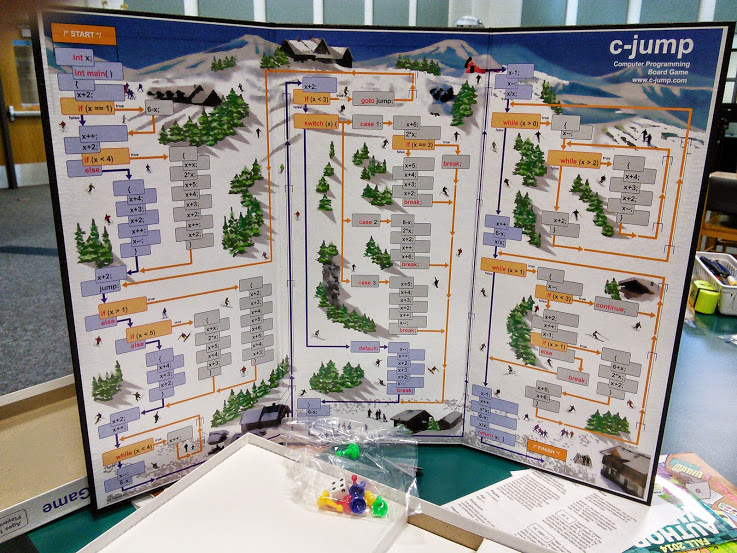
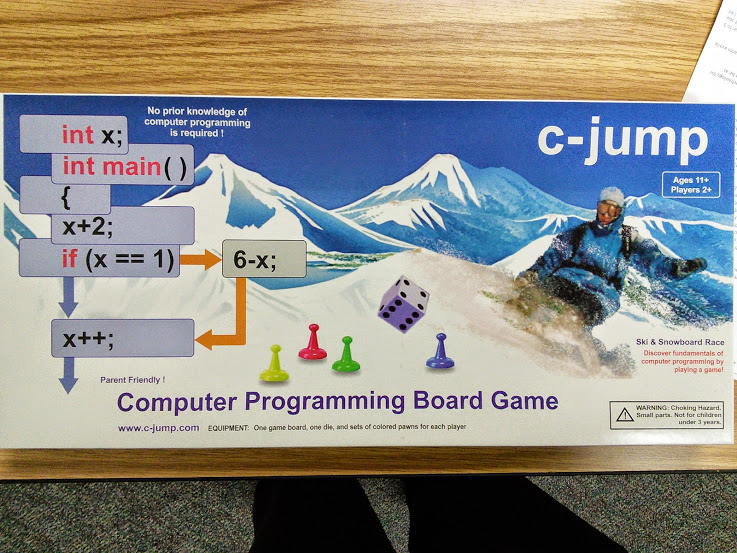
Review: C-jump Computer Programming Board Game

Review:  C-jump Computer Programming Board Game
A while back, someone who’s name escapes me mentioned there was a board game that could be used to teach some basic programming concepts. I scoffed at it initially, with my own knowledge of programming limited, it certainly couldn’t be done with a board game.


As my experience has increased and knowing what I know about teaching kids to code, exposure is everything. The expectation shouldn’t be that students jump into coding with both feet and begin writing loops and variables in C++.  The goal is to lay the bread crumbs in the hopes that they’ll find it enjoyable or seek more out on their own in the future.  This is where c-jump succeeds.


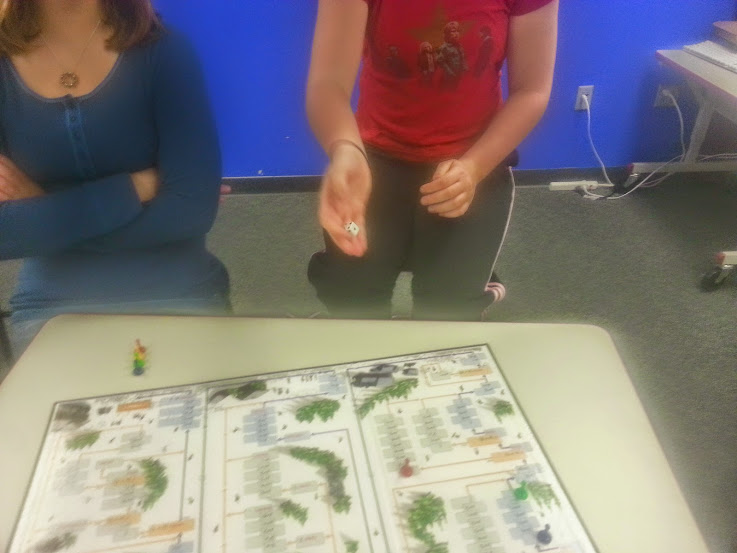
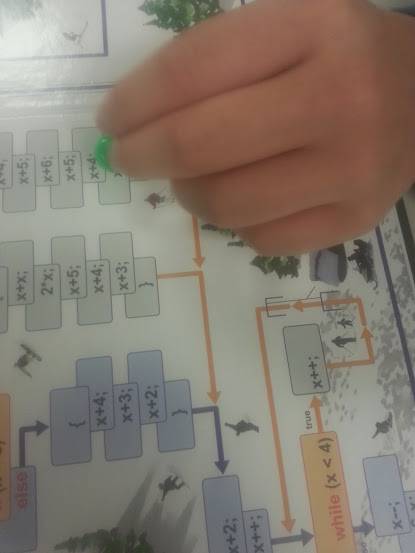
The goal of the game is to use terminology and syntax similar to languages such as C++ and Java to drive the gameplay and reach the end. It works like a normal turn-based, die-rolling board game, with the added element of commands to obey on most squares.  For instance, if a spot says “x+1” you would add one to the roll and move that many spaces.


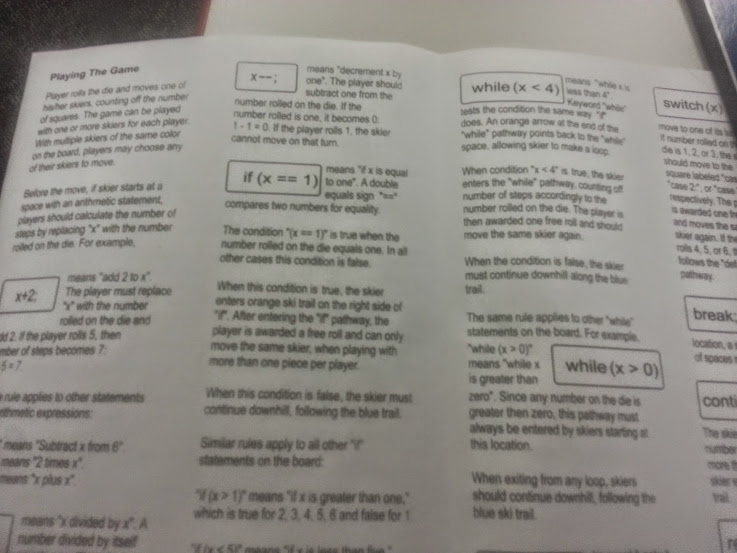
The directions that came with the board game were decent.  They covered the spots you would land on.  However, upon replaying the game, we did run into an issue that we were actually playing the game incorrectly. For the ifs and loops, we were only supposed to react to those if we landed on the spot, instead of during a move. Thankfully, the c-jump website cleared this up for us.


I played the game for the first time with two eighth-grade students, both female. They seemed to get into and have fun.  Probably the most encouraging thing to me is that after a few turns, we didn’t need to consult the directions on some of the landing spaces because they got it and it made sense to them.  They also picked up the variable “x” pretty quickly and were able to calculate the additional spaces to move on the roll without struggle.


When talking to the students after the game, they indicated they enjoyed it, and also learned the words “increment” and “decrement”.  However, at least after one play through, the programming logic didn’t seem to be something they understood.  Part of this was due to the fact that the game isn’t actually a program that you could run.  In that regard, you aren’t so much dissecting code of a working program, but rather repeating the same types of programming syntax over and over again.  It would be cool, and possibly more useful, if the code on the board game was a working program (NOTE: The website does refer to this game as being based off the code of a working program). However, that would likely include too many advanced features that would detract from the enjoyable experience of the board game.


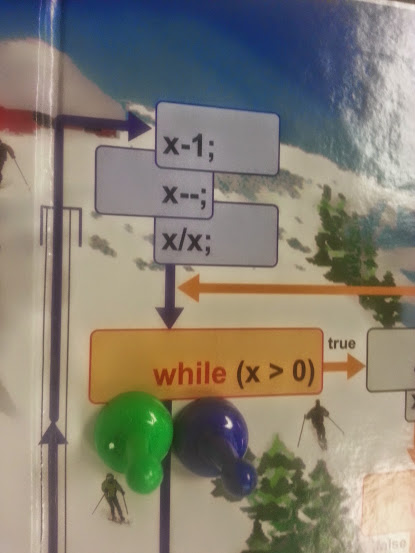
Some interesting things that came out: I always took the == as a given for just being equal. However, the students didn’t quite understand why it had to be two equal signs as opposed to one. With my basic background, I know that using = usually declares a variable, but did not explain it to them, and if a teacher is utilizing this board game with no prior experience, they will likely miss out on that detail as well.  The students also saw the while loops as an enemy to avoid.  I thought this was funny, because loops are an integral part of making a program work.  Perhaps somewhere in the directions, or on the board, it could be explained how loops are actually beneficial. I’m not sure students are left with that impression when playing.


The second time I played through this, I was with my brother in law who knows a bit of programming. He helped explain to me some of the syntax and also helped do some double checking of the game play with the c-jump website.  We played a few times, really enjoying it in both cases.  That game is fun as it is easy enough to understand but complex enough that there is a bit of a challenge. A good combination of both.


In my two gameplay cases, the game was well received and enjoyed. The goal of the creator, Igor Kholodov, was to make a game that took the intimidation out of beginning to learn code.  He certainly succeeded. The students were pretty fearless once they got in, and actually were excited to give it a try.  The concept was interesting to them and got them exposure to programming that they may not have otherwise received in any other format.  As someone who is passionate about getting more students to try coding at a minimal level, I would highly recommend this game. It is affordable, has great replay value, and lays those breadcrumbs that can lead to connections later on for kids to continue down a path of computer science.

To check out C-jump and purchase it, head here: www.c-jump.com/pagebuy03.html

(NOTE:  Special thanks to Igor and C-jump for allowing me to review their product.  It was a joy to play and experience!).